What Is the Volatility Index (VIX)? How to Read It on MT5 and Use It for EA Automated Trading

Search for “volatility index” and you will find explanations of the VIX in some places and articles about indicators to install on MT5 in others, which can leave you unsure which information to look at. Volatility is arguably the single most important factor in trading. This article first clarifies what the VIX means, then walks through how to check volatility on MT5 and how to use it to decide when to switch an EA (expert advisor, an automated trading program) on or off, from a practical point of view. EdgeGraph FX also distributes a free indicator that lets you see at a glance whether current volatility is high or low.
A free tool that shows at a glance whether volatility is high or low!
Download the Volatility Index Indicator for free!Table of Contents
What Is the Volatility Index (VIX)?
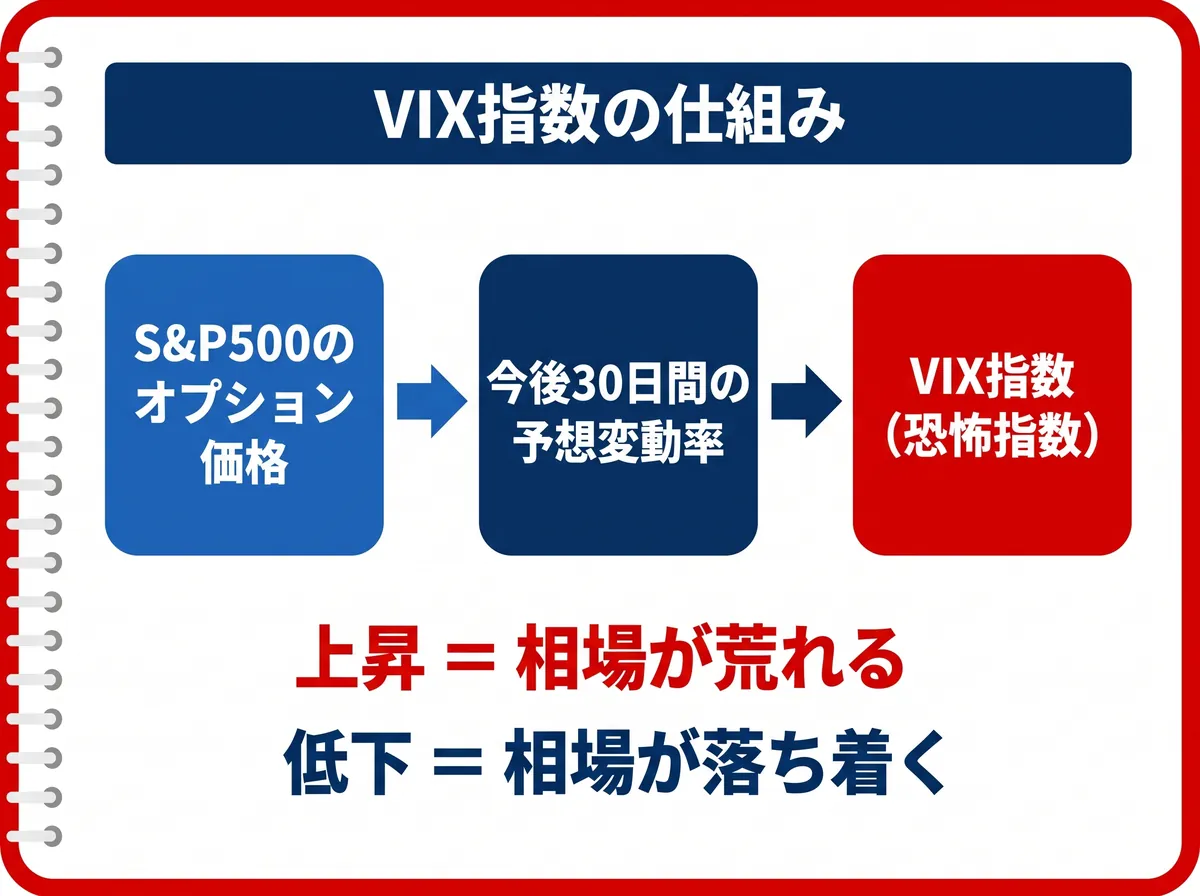
The Volatility Index is an index calculated by the CBOE (Chicago Board Options Exchange) in the United States from S&P 500 option prices, and it shows the market’s expected volatility as a whole. It quantifies how much the market expects prices to move over the next 30 days, and it is commonly known as the “fear index.” The VIX rises when the market looks likely to turn turbulent and falls when it is calm. In other words, it is an indicator for gauging the size of risk, not the direction of prices.
The VIX in use today is the version for which the CBOE, together with Goldman Sachs, revised the calculation method in 2003, switching the underlying from the S&P 100 to the S&P 500.
The VIX is a forward-looking volatility measure calculated from option prices, reflecting how much the market expects prices to move from here. There is also historical volatility, which is calculated from actual past price movements. The sources differ, but both rest on the same idea: measuring the size of price movements, that is, risk. The volatility index indicator that EdgeGraph FX distributes for free lets you check this historical volatility on MT5, and like the VIX it can serve as a guide to how large the current risk is.
First, Why Search Results Look So Inconsistent
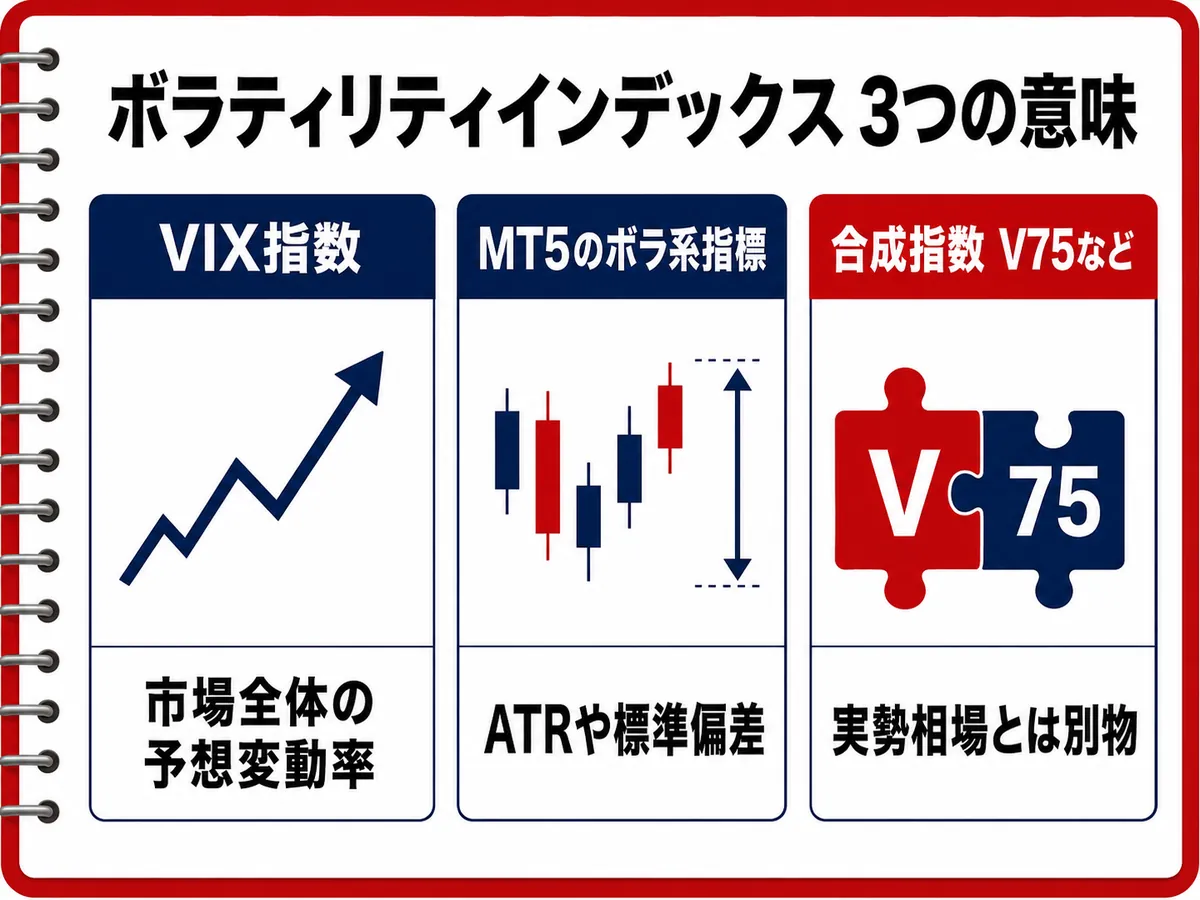
The term “volatility index” actually refers to several different things. Many people get confused here, so let’s sort it out once.
- VIX: The expected volatility of the whole market, calculated from S&P 500 options, as explained above. This is what is generally called the “fear index.”
- Volatility indicators for MT5: Tools such as ATR and standard deviation that measure the size of price movements on the chart. They are separate from the VIX itself.
- Volatility Indices (such as V75): Synthetic indices generated artificially by brokers. The names are similar, but they are a separate product unrelated to the CBOE’s VIX.
Because search results mix all of these together, many people end up confused. If you first make clear which one you want to know about, you can pick up only the information you need.
Why Volatility Is Considered the Most Important Indicator in Trading
Volatility is more than an indicator that tells you whether the market is turbulent. In fact, it is the foundation that determines the price of the financial product known as options.
There is a famous formula called the Black-Scholes equation for calculating option prices theoretically, and volatility is one of the main factors built into it. Option prices are determined by factoring in volatility through this theory. You do not need to understand the math itself, but keep in mind that this is a concept important enough to underlie pricing. This concept is also why the VIX attracts attention from traders around the world.
That is exactly why, before trying to predict direction, it matters to first look at how much the market is moving right now.
How to Read the VIX and Nikkei VI, and Rough Benchmarks
The VIX has rough benchmark levels. You can use it as an indicator of how calm the market is.
Rough VIX levels and market conditions
| VIX level | Market condition |
|---|---|
| Below 20 | Normal level |
| Around 20–30 | Level that calls for caution |
| Around 30–40 | Level of growing anxiety |
| Above 40 | Extreme fear / panic level |
When the value rises above 20, the market tends to become unstable, and in risk-off phases (when investors move to avoid risk), major currencies such as the dollar and yen also tend to move sharply. For people trading forex, it is also useful as a yardstick for risk originating in the stock market.
If you follow Japanese stocks, there is also the Nikkei VI. This is the Japanese counterpart of the volatility index, calculated from Nikkei 225 option prices, so its underlying differs from that of the VIX. The way of reading it is the same: a rise means caution, and a fall means calm.
How to Check Volatility on MT5
From here, let’s look at how to actually check volatility on MT5. The first thing to know is that MT5 has no built-in indicator that displays the VIX itself. If you want to see the VIX, you need to refer to the data separately or add a custom indicator.
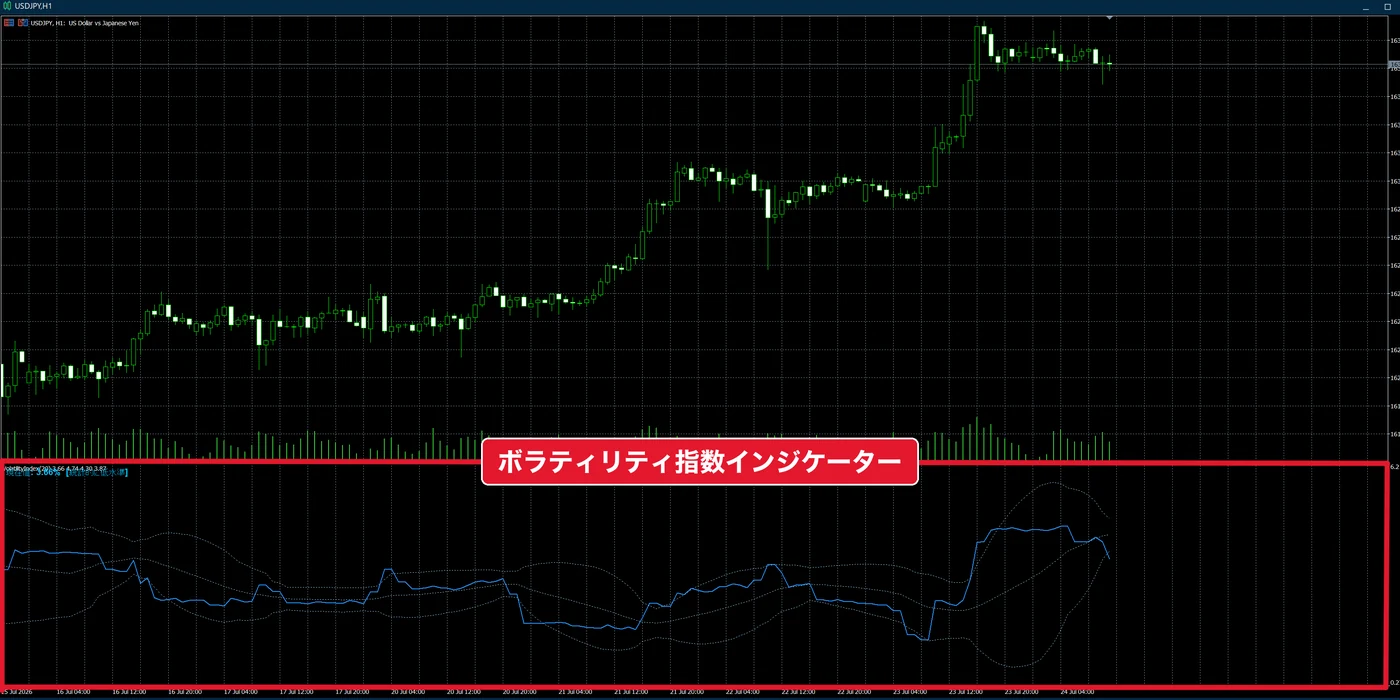
That is where we recommend the “Volatility Index Indicator” that EdgeGraph FX distributes for free. It is a tool for judging whether current volatility is high or low, and once added to MT5, it lets you see directly on the chart whether the market is moving a lot or a little. The advantage is that, unlike the VIX, you do not have to visit another site; you can grasp the state of volatility right on the familiar MT5 screen.
A free tool that shows at a glance whether volatility is high or low!
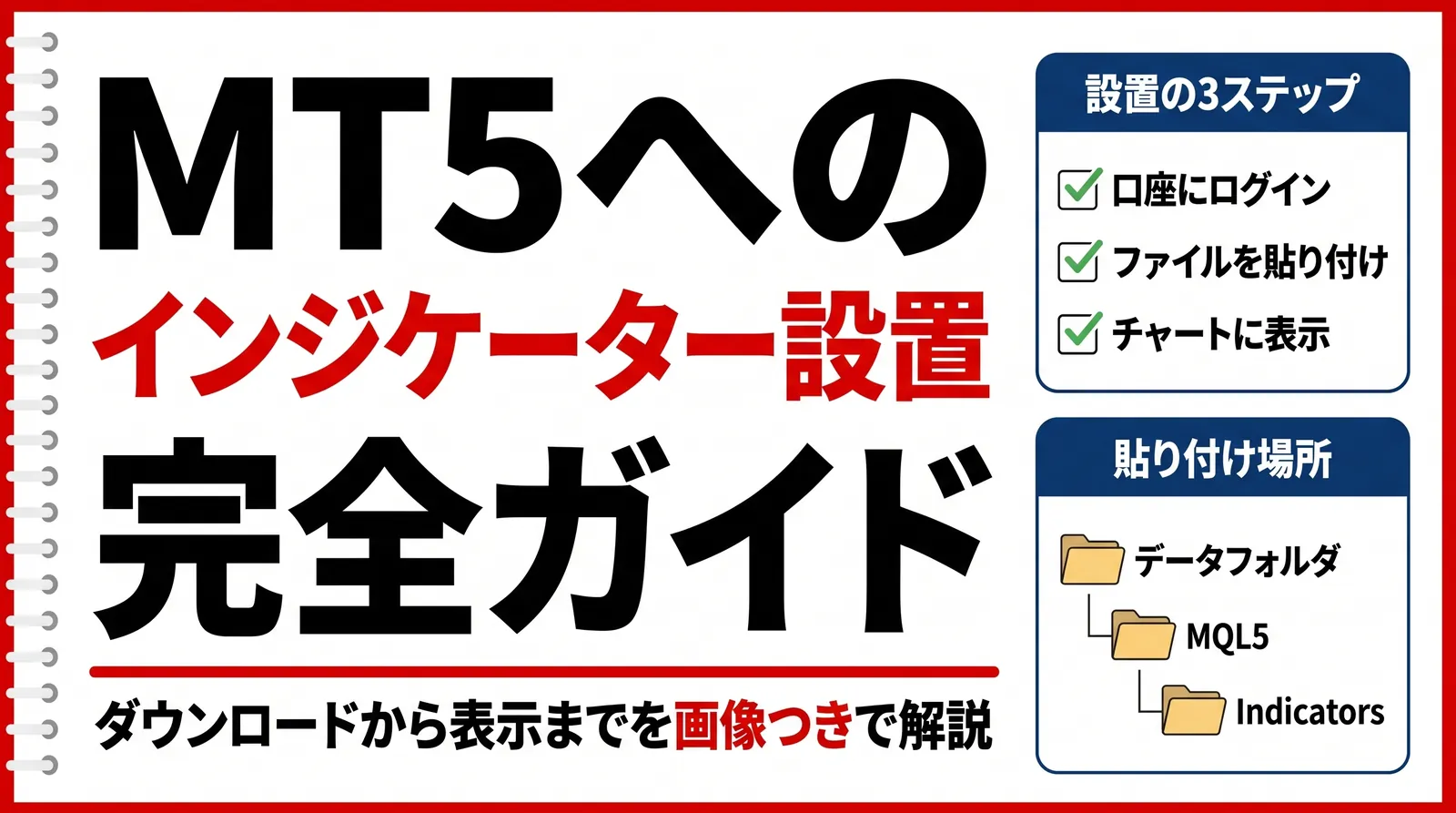
Download the Volatility Index Indicator for free!Want to learn how to add a custom indicator? Check out this article!
Of course, you can also get by without adding any tool, using the volatility indicators built into MT5. While the VIX looks at the expected volatility of the “whole market,” these can directly measure the range of the pair you are actually trading. To help you use them according to purpose, here is a summary of the main measures.
Quick Reference: Which Volatility Measure to Use
Which volatility measure to use for which purpose
| Indicator | What it measures | Built into MT5 | Real-time availability | Ease of linking with an EA |
|---|---|---|---|---|
| VIX (CBOE) | Expected volatility of the whole market, calculated from S&P 500 options | No (covered by adding a custom indicator, such as EdgeGraph FX’s free tool) | Must be referenced separately as an index (not displayed automatically on the MT5 chart) | Useful as an aid for discretionary checks. Feeding it directly into an EA requires external integration |
| Nikkei VI | Expected volatility of the Japanese stock market, calculated from Nikkei 225 options | No | Same as above | Same as the VIX |
| ATR | Realized price range of the traded pair itself | Yes (built in under oscillators) | Displayed in real time on the chart | Easy to build into automatic decisions by comparing the current value with the past average |
| Standard deviation | Degree of price dispersion | Yes (built in under trend) | Displayed in real time | Easy to build in through relative comparison |
| Bollinger Bands | Change in band width, based on standard deviation | Yes (built in under trend) | Displayed in real time | Band expansion and contraction are easy to use as conditions |
| Historical volatility | Standard deviation of price movements over a past period | Yes | Displayed in real time | Easy to use in the same way as ATR |
| Deriv’s Volatility Indices (such as V75) | Synthetic indices generated artificially by the broker | Custom symbols provided by the broker | Displayed in real time (within that broker’s account) | A separate product that cannot be used to judge actual market conditions |
This table is organized around two points: whether you can check it in real time on the MT5 chart, and whether you can build it into an EA’s automatic decisions. If you want to see the volatility of the actual market on your own chart, the built-in ATR and standard deviation are easy to work with. In MT5, open the “Insert” menu at the top, go to “Indicators” and then “Oscillators,” and choose ATR (Average True Range); an ATR with the default 14 periods appears in a subwindow. This value shows the average range of the candlesticks. If you think of the roles separately — the VIX or historical volatility when you want a feel for the whole market, and ATR or standard deviation when you want to measure the movement of the traded pair itself — you will not get confused.
Combining an EA (Automated Trading) with the Volatility Index
Volatility is often put to practical use when you run an EA. Whether to keep an EA running as it is or to pause it can be decided by whether current volatility is high or low. A useful tool here is the Volatility Index Indicator that EdgeGraph FX distributes for free. Because it lets you see on your MT5 chart at a glance whether volatility is high or low, it makes it easier to avoid turbulent phases and is more likely to reduce unnecessary losses.
The key is not to set a fixed number such as “stop when it reaches X.” The appropriate level changes with the currency pair, timeframe, and EA logic, so swallowing an absolute threshold whole will not match reality. Instead, build your own criteria based on the usual levels you can see with this indicator.
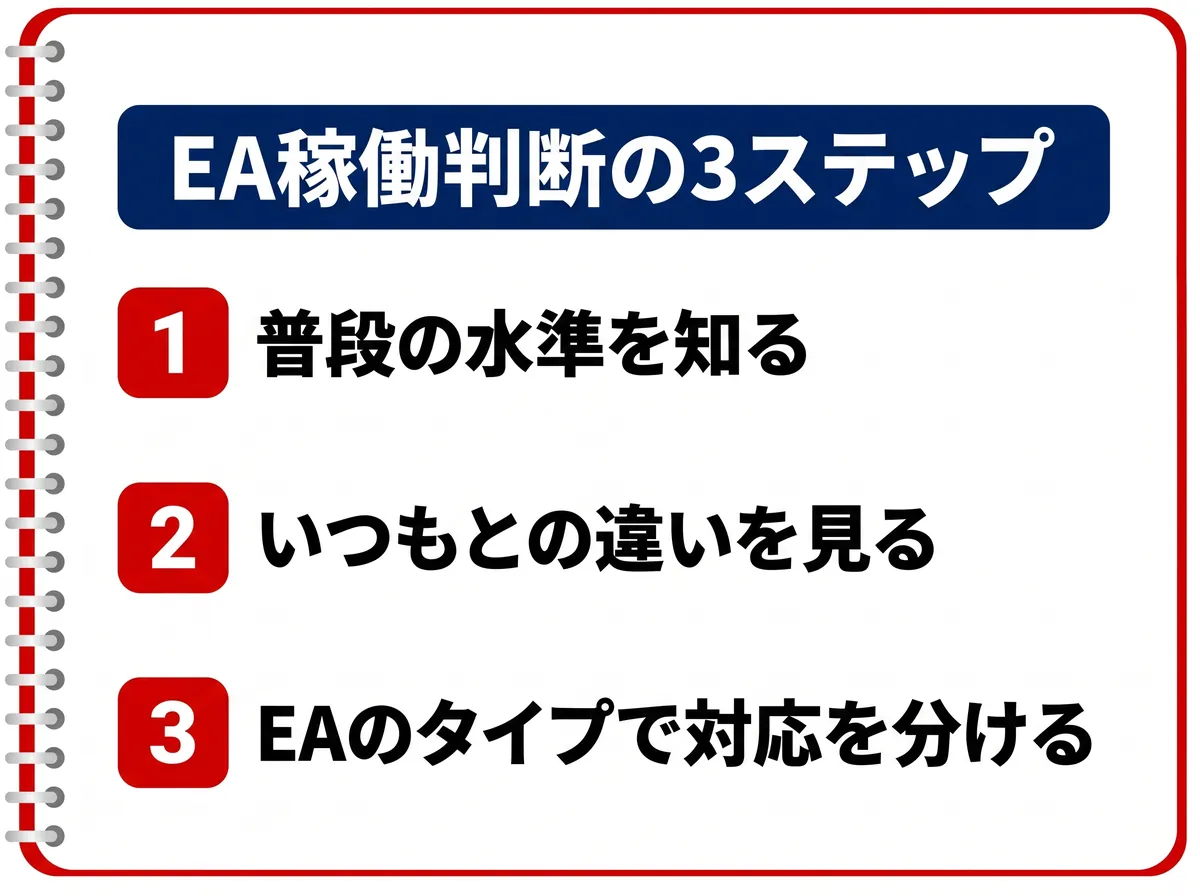
3 Steps to Decide Whether to Run Your EA
Step 1: Learn the usual level
Display the Volatility Index Indicator and first work out your own baseline: “this pair’s normal volatility is about this much.” Displaying ATR or standard deviation alongside it also lets you grasp the usual range of price movement.
Step 2: Look at how it differs from usual
Check whether this indicator’s value is clearly higher than in normal conditions. Also check whether ATR, standard deviation, or the VIX has suddenly moved beyond its usual range. The trick is to judge not by absolute values but by how far the reading is from the normal level.
Step 3: Respond according to the type of EA
- Trend-following EAs: When volatility expands, consider keeping the EA running. Phases with large price movements tend to produce trends, which is the kind of market this type does well in.
- Martingale averaging-down EAs: When volatility expands, consider stopping the EA for the time being and restarting it once the market calms down.
Make this switching decision based on the baseline you prepared in Steps 1 and 2. When the VIX rises well above its normal range, we recommend using it as a signal to do a manual check.
We will explain why only martingale averaging-down EAs are treated differently in the next section.
Why Martingale Averaging-Down EAs Are Weak to Volatility
The weakness of martingale averaging-down EAs shows up when volatility expands sharply. When the market runs hard in one direction, the more you add positions (averaging down), the more unrealized losses tend to swell.
That is why detecting “movement unlike usual” early with the Volatility Index Indicator or ATR, and reassessing whether to keep the EA running, helps keep risk to a minimum.
Adjust Take Profit and Stop Loss Widths to Volatility
The volatility mindset is useful not only for switching an EA on and off but also for deciding take profit and stop loss widths. The same applies to discretionary traders: adjusting the width to the size of the price movement at the time brings you closer to a sensible setting.
When volatility is high, set take profit and stop loss wider than usual. Because prices move more, a stop loss that is too tight is easily triggered by temporary back-and-forth movement (noise), and a take profit that comes too early tends to miss profit that could have run. Conversely, when volatility is low, set the widths narrower. When movement is small, a wide take profit target is hard to reach.
If you are unsure how to set the width, one approach is to use ATR as a guide. Using a multiple of the current ATR as the basis for the stop loss width is a widely used idea. The right multiple depends on the currency pair, timeframe, and method, so we recommend starting by watching the values in your own environment and adjusting from there.
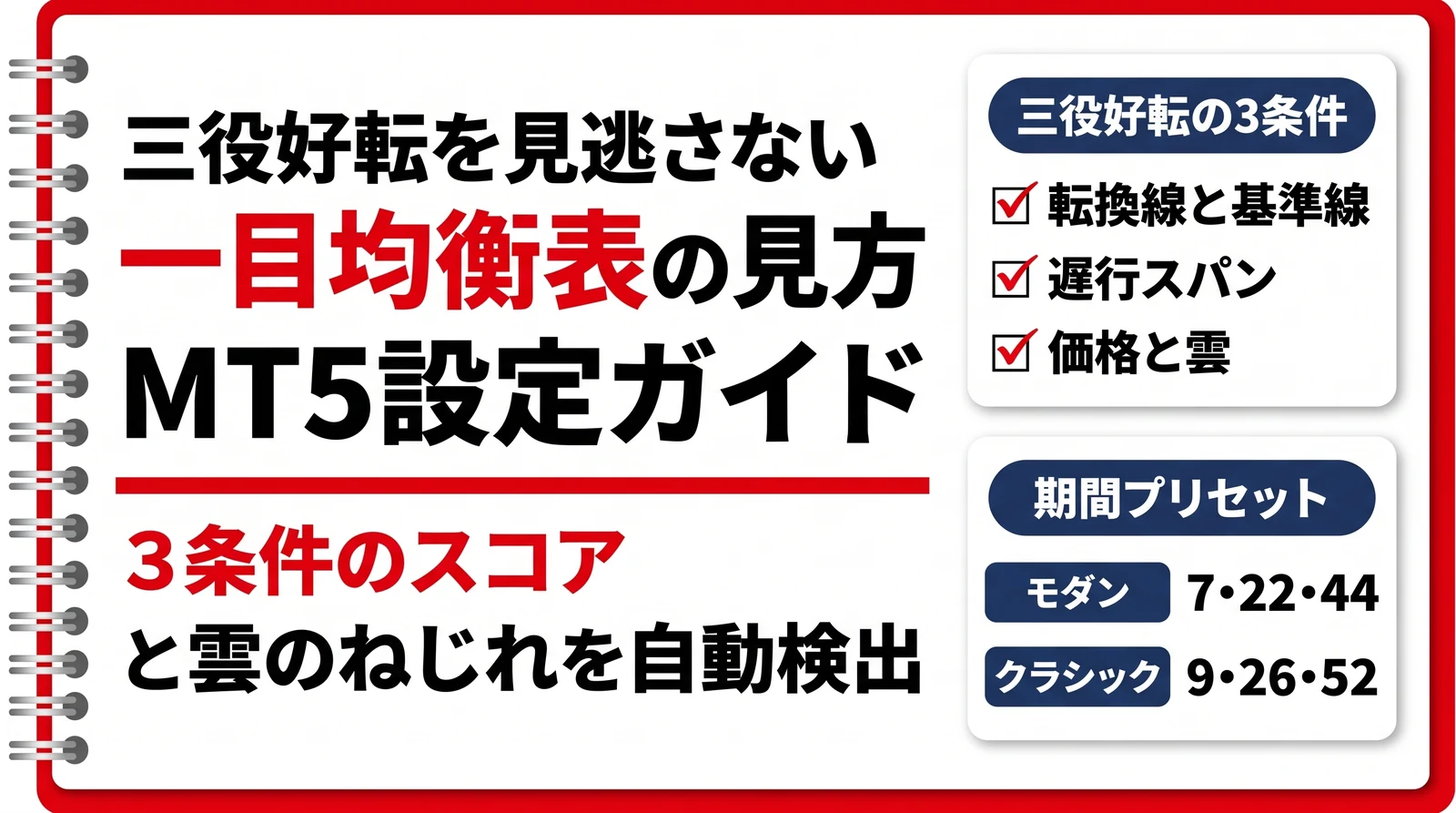
Want to check the market’s direction and key levels as well? Check out this article!
Besides the volatility index indicator, if you want to find MT5 indicators by purpose, check the article below!
FAQ
Summary
Volatility is a foundation of trading that you should grasp before trying to predict price direction. Use the VIX to gauge the mood of the whole market, and use MT5’s ATR and standard deviation to check the movement of the traded pair itself. If you use these two separately and then decide when to switch on or off according to the type of EA, you can more easily avoid unnecessary losses in turbulent markets.
Start by trying a free demo account or a small-deposit account to see for yourself how the indicators look and how the EA behaves.
Want to see which phase the market is in as waves? Check out this article!

Measure both the overall market mood and the pair’s price movement to decide when to switch your EA on or off!
Open an EdgeGraph FX Account Here