Main Reasons You Can't Deposit at an Overseas FX Broker, and How to Check When Funds Don't Appear
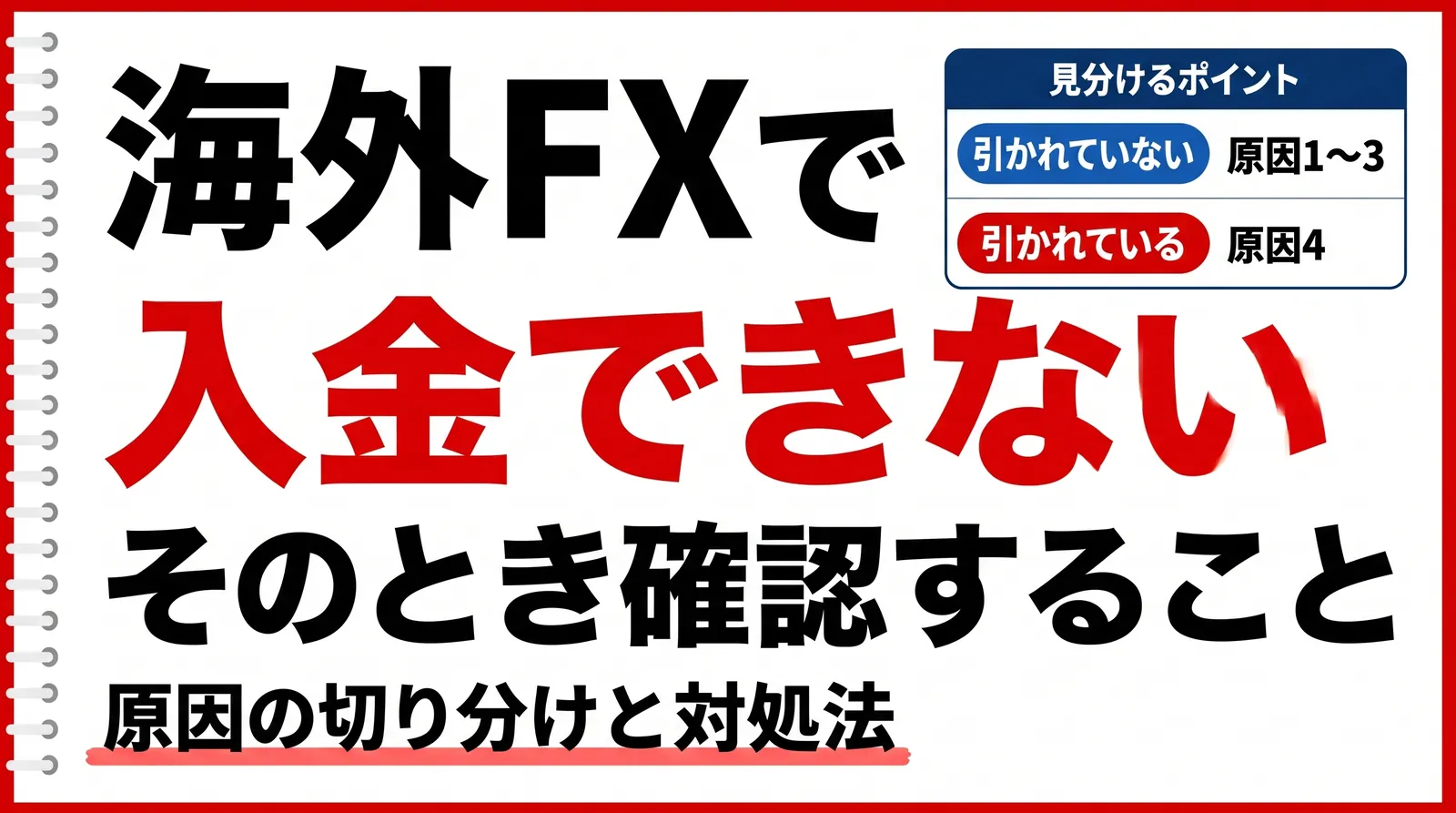
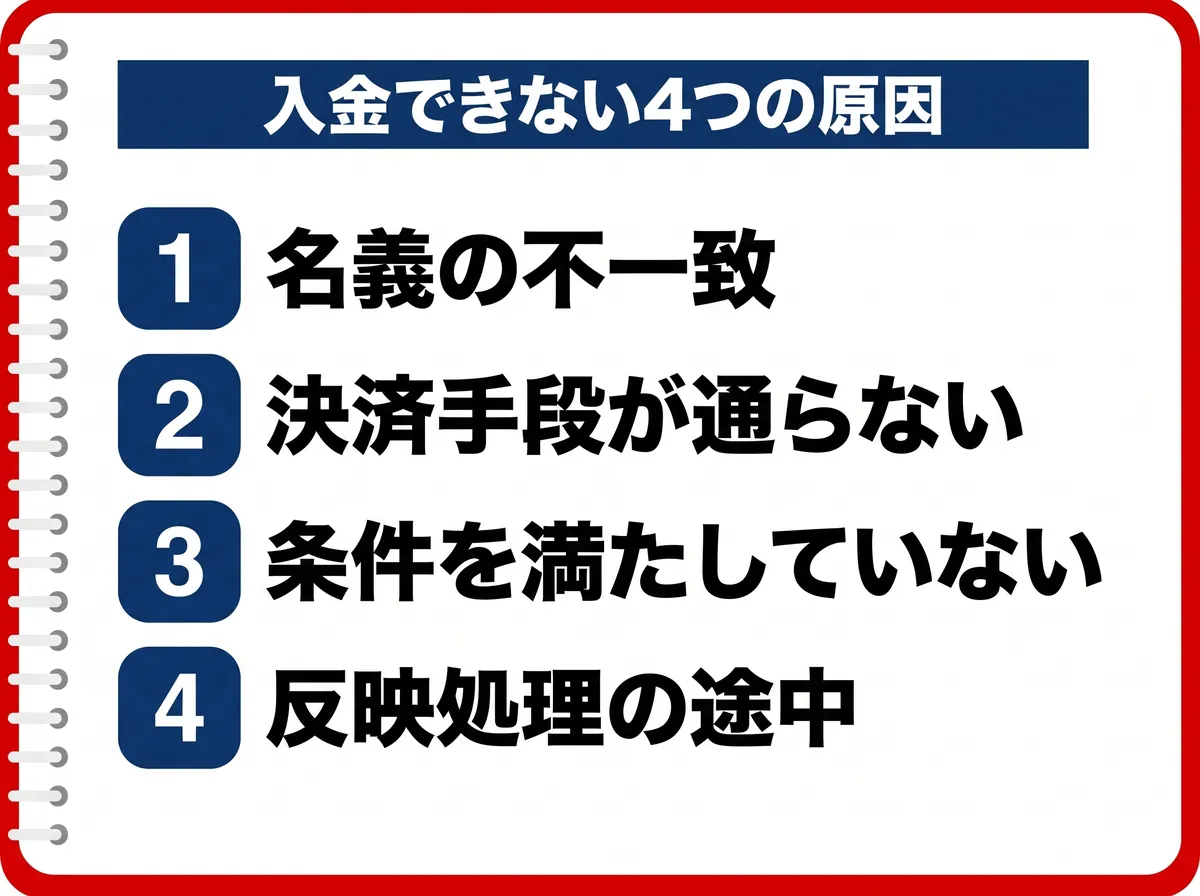
You submitted a deposit request but it doesn't show up in your account, or the payment errors out and you can't proceed. When you can't deposit at an overseas FX broker, the cause falls mainly into these four categories.
- Cause 1: Mismatch between the details entered and the account name
- Cause 2: The payment method itself won't go through
- Cause 3: The amount or account conditions aren't met
- Cause 4: The payment completed but the crediting process isn't finished
Even though it is the same “can't deposit,” the solution differs completely depending on the cause. Causes 1 to 3 can be fixed on your side, and once fixed you can deposit again right away. In Cause 4 the payment has completed and is being processed, so depositing again would only make the processing more complicated.
The key point for telling them apart is whether the money has been deducted. If it hasn't been deducted, it is Cause 1 to 3; if it has been deducted but hasn't arrived in your account, it is Cause 4.
This article explains the mechanisms common to overseas FX in general, and then shows how each one works at EdgeGraph FX.
Table of Contents
- Three checks
- Cause 1: Mismatch between the details entered and the account name
- Cause 2: The payment method itself won't go through
- Cause 3: The amount or account conditions aren't met
- Cause 4: The payment completed but the crediting process isn't finished
- Typical time until a deposit is reflected and when to contact support
- Deposit routes may change because of the 2026 regulation
- FAQ
- Summary
Three checks
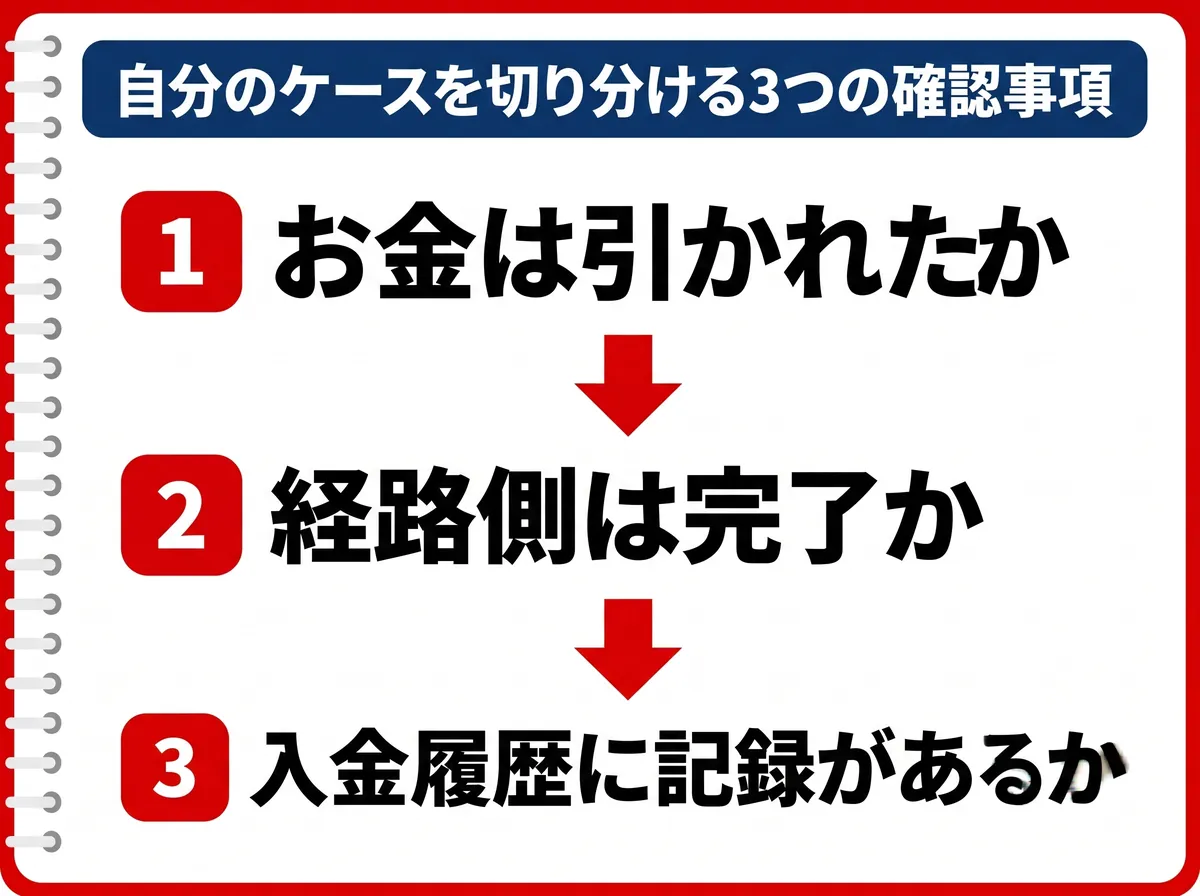
When you can't deposit, or a deposit fails, check the following three things.
1 Has the money actually been deducted from your account or card?
Open your banking app's statement, your card's usage statement, and your cryptocurrency wallet balance to check. If it hasn't been deducted, the payment was never completed in the first place, so it is one of Causes 1 to 3.
2 Does the status show “Completed” or “Successful” on the side of the route you used?
Check the screen of the side that processed the payment, such as PayWave, Peska, PRE-BOX, or the exchange you sent from. If it doesn't show as completed there, it is stuck on the route's side. First, check the situation with that route's support desk.
3 Is that request recorded in the deposit history on your EdgeGraph FX member page?
If it is recorded, the crediting process is under way. This is Cause 4, so wait until processing completes. If there is no record, the deposit request itself was never completed. Go through the procedure again from the deposit screen.
Cause 1: Mismatch between the details entered and the account name
Mismatches in input and names are the most common reason people stumble at the deposit stage. If you fix the name, you can deposit again right away.
The remitter's name doesn't match the name registered on the FX account
At overseas FX brokers, the source and destination of funds must be the same person. This is a rule shared across the industry as an anti-money-laundering measure, and deposits from routes under a different name are not accepted.
At EdgeGraph FX too, deposits must be made in the same name as the EdgeGraph FX account. When using Peska, three names must all be identical: the EdgeGraph FX registered name, the Peska account name, and the name on the bank account you top up from. When using PayWave, the name on the card must match the name on the MT5 account.
The things most easily gotten wrong in names are the order of surname and given name, the presence of a middle name, and the romanized spelling. If your surname has changed through marriage or divorce, complete the registration change first and then deposit. If you do it in the reverse order, the deposit will stop because of a name mismatch and you will end up having to start over with updating your registration details.
Note that cryptocurrency deposits are made from a wallet address, so there is no check of the remitter name against the account holder. It is a route that is easy to use when you are unsure how to write your name.
The MT5 account number or the destination is entered incorrectly
In a deposit request, you choose for yourself the MT5 account number that the funds should be credited to. If you use several accounts, check that you haven't selected a different one.
Mistyping an email address is another point where errors easily occur. With PoiTouch, the prepaid number purchased at PRE-BOX is delivered by email. If you enter an address that can't receive mail, the number itself never reaches you. With Peska, you enter on EdgeGraph FX's deposit screen the email address registered with Peska. A mistake may make it impossible to confirm the transfer, so check before sending that it matches the registered address.
When entering prepaid numbers or addresses, check the character width (half-width) and the number of digits. Copy and paste is more reliable than typing by hand.
Watch out for mistakes in the cryptocurrency network
The thing that needs the most care in cryptocurrency deposits is network selection. On EdgeGraph FX's deposit screen, you select a currency type and send to the destination address displayed. Because USDT is not compatible across networks, always make the network you select on the screen the same as the network you select at the sending side. If you get it wrong, your funds may be lost and will not be returned. Before sending, do a final check that the currency type and network match, and only then go ahead.
The sending address is also easy to forget. The sending address you entered on EdgeGraph FX's request screen must be the same as the address of the wallet you actually send from. If you are sending from an exchange, note down the withdrawal address before you make the request.
Want to see the cryptocurrency deposit steps in detail? Read this article.
▶︎How to Deposit Cryptocurrency to EdgeGraph FX | Supported Currencies and the 5-Step Procedure
You are using a card or account in a family member's name
EdgeGraph FX does not allow withdrawals to accounts in a third party's name. If the name on a deposit differs from your own, your withdrawal request may be put on hold for a name mismatch. Use a card or account in your own name from the time of deposit.
If a card in your own name can't be used, choose another route whose name does match. Cryptocurrency deposit is a route with no name check, so it can serve as an alternative.
Cause 2: The payment method itself won't go through
Even when there is nothing wrong with what you entered, the payment can stop because of a problem on the payment side. In this case you can't fix it yourself, so we recommend applying through a different route.
The card company has blocked payments related to overseas FX
Card companies decide whether to allow a payment depending on the merchant's industry. Payments related to overseas FX are sometimes classified as high risk and may be declined at the issuer's discretion. Note that direct credit card deposits to EdgeGraph FX are not supported. If you want to pay by card, you can do so through PayWave.
You are using a card that doesn't support 3D Secure
Card payments through PayWave go through 3D Secure identity authentication. Cards that don't support this authentication may fail to pay. Activate it in advance from your card company's member page.
There are also conditions on the type of card. Visa and Mastercard debit cards can be used. Prepaid cards may not work because of restrictions on overseas merchants, so check the card issuer's rules before use.
A domestic bank restricts transfers to overseas FX brokers
Some banks in Japan restrict transfers to overseas FX brokers in their terms and may refuse to accept the transfer at all. Since such banks have been increasing recently, if you mainly rely on direct bank transfers for deposits, it may be a good idea to prepare other routes as well.
At EdgeGraph FX, deposits go through each payment service. Even when you use Peska, the transfer is a top-up from a domestic bank to a designated domestic account.
The payment route is down for maintenance or congested
Maintenance or congestion may be occurring at the payment service provider or on the blockchain. With cryptocurrency, when the network is congested the time until confirmation grows, and a transfer that would normally finish in a few minutes can take several hours.
In this case, wait until processing completes. If an error appears and your request isn't accepted, don't repeat the same operation; either switch to another route or try again after some time.
Cause 3: The amount or account conditions aren't met
Sometimes you can't deposit because the account conditions aren't met. This can be prevented by checking in advance, so check first and then make your deposit.
Identity verification is not marked as approved
Some overseas FX brokers don't accept deposits until the account is activated. Even if you have submitted your documents, they may have been sent back during review, so open your identity verification status on your member page and check it.
If you use PayWave or Peska with EdgeGraph FX, you must have completed account creation and identity verification on each service's side. For Peska, setting up two-step verification is also a required condition for transfers. Both can take time to be reviewed, so complete them right after opening your account rather than just before the day you want to deposit.
Cause 4: The payment completed but the crediting process isn't finished
The money has been deducted and the payment has also completed on the deposit route's side. If it still hasn't arrived in your account, the crediting process is most likely still in progress. In this case, wait until processing finishes, and if it still doesn't show, try again after some time has passed.
The time until funds appear differs by route
How quickly funds appear varies by deposit route. Cryptocurrency takes a few minutes to about 30 minutes, and several hours when the network is congested. With PayWave, funds are credited immediately once the card payment is approved, and if you choose to pay with cryptocurrency, you wait for network confirmation. With Peska, funds are credited almost instantly once final approval is completed. With PoiTouch, it can take some time from when the payment completes until the funds appear in your trading account.
You can check the crediting status in the deposit history on your EdgeGraph FX member page. If the request is recorded, processing is moving forward.
Beware of double deposits
When funds don't appear, don't deposit the same amount again. The portion that went in twice needs separate handling, which adds confirmation work and delays resolution. The funds may also be temporarily unavailable to you.
What you should do is check the status on the deposit route's side and the deposit history on your member page. Then, if the typical timeframe has passed, contact support with the necessary information attached.
Typical time until a deposit is reflected and when to contact support
How long you should wait differs by deposit route.
Where to check for each deposit route
Typical time to be reflected and where to check, by deposit route
| Deposit route | Approx. time to be reflected | Where you can check yourself | Common sticking points | What to attach when contacting support |
|---|---|---|---|---|
| Cryptocurrency | A few minutes to 30 minutes | Transfer status in a blockchain explorer, deposit history on your member page | Network mix-up, wrong sending address entered | Transaction ID, sending address, currency type and network |
| PayWave | Right after payment approval | Payment status on the PayWave side, deposit history on your member page | Card without 3D Secure support, card name differing from the MT5 account name | Payment status screen on the PayWave side, payment date and time, amount |
| Peska | Almost instantly after final approval on the Peska side | Status in Peska's transfer history, deposit history on your member page | Peska balance top-up not completed, wrong format of the remitter name | Peska transaction ID, transfer date and time, registered email address |
| PoiTouch | Reflected after the payment completes | PRE-BOX purchase lookup, deposit history on your member page | Face value differing from the requested amount, balances from multiple purchases can't be combined | Purchase history of the prepaid number, payment date and time, selected deposit amount |
For cryptocurrency, the time to contact support is when funds still haven't appeared after more than an hour. Check in a blockchain explorer such as Etherscan or Tronscan whether the transfer status is Success, and contact support with the transaction ID attached.
For PayWave and Peska, you may contact support as soon as the payment or transfer has completed on the route's side but hasn't been reflected. For PoiTouch, confirm that the payment has completed in the purchase lookup on the PRE-BOX side before contacting support.
When you contact support, be sure to attach your MT5 account number and the date and time of your request. If you only say “I can't deposit,” the process starts with confirming the situation, so the reply takes longer. If you send the information in the rightmost column of the table first, the investigation can proceed straight away. EdgeGraph FX's Japanese-language support is available 24 hours a day, and replies arrive within 24 hours.
Want to see the list of deposit methods? Read this article.
▶︎What Are the EdgeGraph FX Deposit Methods? A Clear Guide to the List of Methods and How to Use Them!
Funds you deposit are withdrawn via Peska, PayWave, or cryptocurrency
Something to know before you deposit is how you will withdraw. EdgeGraph FX has three withdrawal methods: Peska, PayWave, and cryptocurrency. Funds do not simply return to the deposit route.
Whether you deposited with cryptocurrency, PoiTouch, or Peska, when you withdraw you choose one of Peska, PayWave, or cryptocurrency. Note that the method you used to deposit can't always be used to withdraw. Withdrawals to domestic banks via Peska are limited to financial institutions in Japan.
The thing to watch here is the account name. If you deposit using a card or account in a family member's name, your withdrawal will be put on hold at the withdrawal stage as a name mismatch. Keep everything in your own name from the time of deposit.
Want to know the causes when you get stuck on a withdrawal too? Read this article.
▶︎4 Reasons You Can't Withdraw from an Overseas FX Broker | How to Spot a Withdrawal Rejection and How Many Days Until Funds Arrive
What to check before requesting a deposit
To avoid trouble with deposits, check the following four things before you submit your request.
- Finish the advance preparation for the deposit route you will use. For PayWave and Peska, complete account creation and identity verification on each service's side. Peska also requires two-step verification to be set up
- Check that the name used for the deposit is the same as the registered name on your EdgeGraph FX account. This applies to the card name, the Peska account name, and the name on the bank account you top up from
- After you submit, open the deposit history on your member page and check whether a deposit record exists
For a deposit route you are using for the first time, start with a small deposit so you can see how long it takes to be reflected.
Deposit routes may change because of the 2026 regulation
In June 2026, the amended Payment Services Act came into force, and cross-border payment collection agency services became subject to regulation.
The regulation targets businesses; deposits by individuals are not prohibited
The regulation targets businesses that operate cross-border payment collection agency services as a business. Neither the amended law nor the related Cabinet Office ordinance contains provisions restricting transactions by individuals, such as deposits and withdrawals. Transitional measures have also been established for businesses that are proceeding with registration.
Don't rely on just one deposit route
That said, payment service providers changing their policies can cause deposit routes to be altered or temporarily suspended.
A realistic countermeasure is to have two usable deposit routes ready. Even if one stops, you can deposit with the other. Combining routes with different characteristics, such as a card route and a cryptocurrency route, makes you less affected when one of them stops.
FAQ
Summary
When you can't deposit at an overseas FX broker, first check whether the money has been deducted on the deposit route.
- If the money hasn't been deducted, the cause is a name mismatch, a payment method that won't go through, or unmet amount or account conditions. Check the name, the MT5 account number, and the deposit amount conditions
- If the money has been deducted but isn't in your account, the crediting process is most likely still in progress. Don't deposit twice; wait until processing completes
When a deposit fails, don't panic. First open the deposit history on your member page and check whether the request is recorded.