Signal Tool vs. EA Explained: How They Relate to Indicators and How to Choose
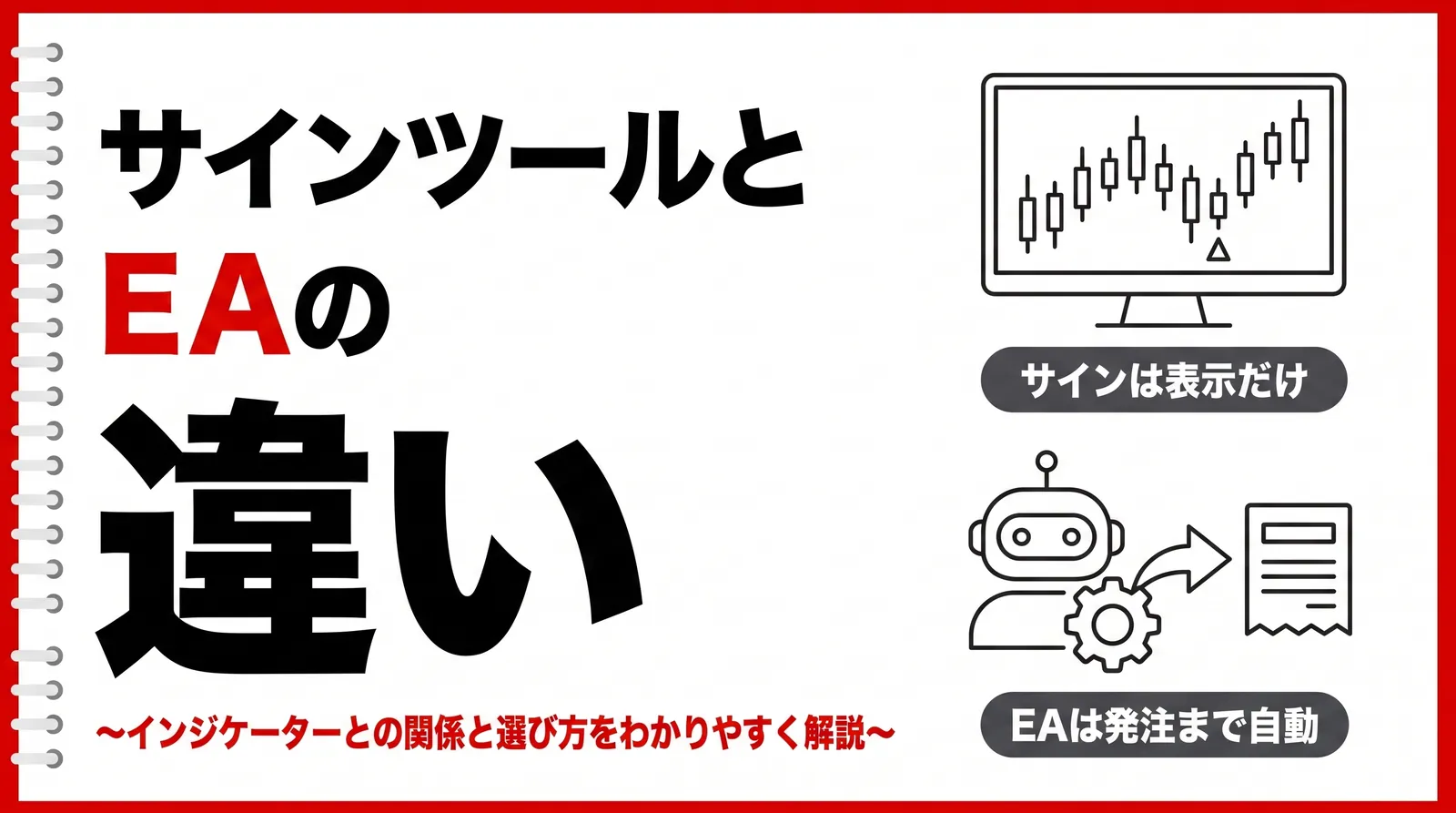
You installed a signal tool, but it only puts arrows on the chart and places no orders, and you cannot tell how it differs from an EA or an indicator. Many people who start researching FX tools stumble over how to tell these three terms apart.
This article explains the difference between signal tools and EAs, how they relate to indicators, and how to choose the one that suits you.
Table of Contents
What Is a Signal Tool?
An FX signal tool is a tool that shows buy and sell timing on the chart with arrows and the like.An upward arrow appears at a buy timing and a downward arrow at a sell timing: a mark is placed on the candlestick that meets the conditions set in advance. Only the mark is displayed, and no order is placed.
When an arrow appears on the chart, you check the situation of that currency pair yourself, decide the lot size and order type, and place the order. Deciding the stop-loss and take-profit levels is also up to you. A signal tool is only material for judgment, and orders and taking profit are done by you.
- Some tools also have a feature that notifies you with an on-screen alert or a sound when the conditions are met.
- You can notice even if you have looked away from the chart, but whether to place an order is decided by the user.
Most signal tools are added as indicators to a trading platform such as MT5. They range widely from free ones to paid ones, and the conditions under which signals appear differ from tool to tool. Even on the same chart, the signals change if you use a different tool.
- They suit people who want to place orders on their own judgment but want to narrow down the material they look at on the chart.
- You can pick out the moments that meet the conditions visually, without combining technical indicators from scratch.
A displayed arrow does not turn into profit as it is
Results change depending on market conditions and fund management.
A signal tool should be treated as an analysis aid.
What Is an EA?
EA stands for Expert Advisor, which is an automated trading program that runs on a trading platform such as MT5. The entry conditions, lot size, stop-loss and take-profit levels, and closing conditions are all written into the program, and once the conditions are met, it handles everything through to placing the order automatically, without any human operation.
If you build the conditions under which signals appear into an EA, the EA places an order the moment those conditions are met, and it closes the position when the closing conditions are met. Even when no one is in front of the screen, it trades automatically for as long as it is running.
To run an EA, besides the parameter settings of the EA itself, you need a setting on the MT5 side that allows algorithmic trading.

A characteristic of an EA is that the content of its trading stays consistent. When a person operates manually, they may hesitate to cut a loss when the unrealized loss grows, or raise the lot size to win back a loss. An EA processes things exactly according to the set conditions, so it is not affected by such emotions. When the same conditions appear, it places the same order every time.
If the market changes suddenly outside the conditions built into it, its response is delayed and losses can widen.
When prices jump on the release of an important economic indicator, it may also fail to close at the intended price.
Do not leave everything to the EA; check regularly that it is running.
How Indicators and Signal Tools Relate
A signal tool is a tool that tells you buy and sell timing based on indicators.
Indicators such as moving averages and RSI show the state of the market with lines or numbers. The decision to buy or sell, however, is made by the trader.
A signal tool, on the other hand, combines several conditions and shows the moments when they line up with arrows and the like. For example, it automatically judges a condition such as "the moving average is pointing up and RSI is at or below a certain level."
The difference from an EA is whether it actually places orders. A signal tool only tells you buy and sell timing, while an EA automatically carries out entries and closing according to its conditions.
To sum up, the three differ as follows:
Indicator: displays material for market analysis
Signal tool: tells you buy and sell timing
EA: trades automatically
That is how the three differ.
- Indicator: shows material for analysis
- Signal tool: combines that material to show buy and sell timing
- EA: adds order rules to the display and trades automatically
Want an example of an indicator that comes with signal display and alerts? Check this article!
Difference Between Signal Tools and EAs
The big difference between a signal tool and an EA is whether you decide trades yourself or they are done automatically.
Difference Between Signal Tools and EAs
| Point of comparison | Signal tool | EA |
|---|---|---|
| Trade decisions | Look at the signal and decide yourself | Judged automatically according to set conditions |
| How orders are placed | You place the order yourself | Orders are placed automatically |
| What you need when using it | Understand what the signals mean and how to read the market | Understand the settings, lot size, and operating conditions |
| Who it suits | People who want to trade while watching the chart themselves | People who want to automate trading as much as possible |
| Points to watch | Judgment can waver with emotion | It may be slow to respond to sudden market changes |
With a signal tool, even when buy and sell timing is shown on the chart, you decide yourself whether to actually enter.
This lets you make flexible judgments, such as skipping a trade after reading the mood of the market, but your judgment can also change because of hesitation or impatience.
An EA, on the other hand, trades automatically according to the conditions set in advance. It is less affected by emotion, and you do not need to keep watching the chart all the time.
However, an EA can only act within the rules it has been given. Even when a sudden market move or unusual price action occurs, it cannot judge the situation as a person would and skip a trade.
For this reason, a signal tool suits people who want to trade while checking the market themselves, and an EA suits people who want to automate their trading as much as possible.
Which Suits You: Discretionary Trading, a Signal Tool, or an EA?
Trading methods fall broadly into three: discretionary trading, signal tools, and EAs.
Rather than one being better than the others, the method that suits you depends on how much you want to judge yourself and how much time you can spend on trading.
Comparison of Discretionary Trading, Signal Tools, and EAs
Comparison of Discretionary Trading, Signal Tools, and EAs
| Point of comparison | Discretionary trading | Signal tool | EA |
|---|---|---|---|
| Who it suits | People who want to analyze the market and trade by themselves | People who want a guide for buying and selling but want to make the final call themselves | People who want to automate trading as much as possible |
| Trade decisions | All done by yourself | You decide yourself, using the signals as a reference | Done automatically according to the set rules |
| Time spent watching the chart | Tends to be long | Needed to some extent | Can be kept relatively short |
| Influence of emotion | Easily affected | Affected when you make a judgment | Trading itself is less affected by emotion |
| When the market changes suddenly | You can read the situation yourself and respond | You respond yourself, for example by skipping the signal | Acts within the set rules |
A signal tool displays signals automatically, but it does not fully judge market conditions for you.
For example, even when the market is moving sharply because of a major economic indicator or news, a signal can still appear if the set conditions are met. You need to judge for yourself whether to actually trade on that signal.
For this reason, a signal tool is an easy-to-use choice for people who do not want to judge everything themselves as in discretionary trading, but who are also uneasy about full automation like an EA.
On the other hand, if you want to handle everything from market analysis to trading yourself, discretionary trading is a candidate, and if you want to spend less time watching the chart and automate trading, an EA is a candidate.
Can a Signal Tool Be Turned Into an EA?
Converting a signal tool into an EA is technically possible. However, the converted product has different logic from the original signal tool.
What a signal tool has is only the conditions for producing a signal. To run it as an EA, you need to add the following new elements to those conditions.
- A judgment on whether to place a new order when a signal appears
- The lot size used for one order
- Stop-loss and take-profit levels
- Closing conditions
- The upper limit on positions held at the same time
These are not included in the original signal tool. Because you build in values decided by whoever makes it, even if the same signal is used, the results are completely different if the lot size or the way the stop-loss is set differs. What determines the performance of the converted EA is the content of the order rules you add, more than the performance of the original signal tool.
Another thing to check is when the signal is confirmed. Some types show the signal only after the candlestick has closed, while others show a signal on a candle that is still moving and later erase it. How it behaves as an EA depends on which type it is. If you use a display that disappears later directly for placing orders, orders will be placed in situations that never actually materialized.
Before considering turning it into an EA, check whether you can explain under what conditions that signal tool produces its signals. If you convert it without being able to explain the conditions, you will not be able to trace the cause when an order is placed in an unexpected situation.
What to Watch For When Choosing a Signal Tool or EA
In the sale of signal tools and EAs, you may see phrases like the following.
95% win rate
A winning logic that never loses
Just place orders as the arrows show
30% monthly return from the first month
Avoid products that carry such claims. Market prices keep changing, so no tool can guarantee a future win rate. If figures are given, check whether they also disclose which period and which currency pairs they were tested on. Figures without a stated period and conditions may have been cut out from only favorable market conditions.
Be careful also about explanations such as "it produces winning signals." All a signal tool shows is the fact that conditions decided in advance were met. Whether it turns into profit after that is decided by the price movement from there and your own fund management.
There are three other points worth checking.
1. Check the provider and the contact point
Look at who is selling it and whether there is somewhere to contact after you purchase. Some are sold only through an individual's account, and after purchase you can no longer reach anyone. Do not download anything for which you cannot find a contact point.
2. Choose one that comes with instructions
Check whether it explains the conditions under which signals appear, the recommended currency pairs and timeframes, and the meaning of the parameters you can set. With a tool that has no explanation, you end up using it without knowing why signals appear, and you cannot review it when things do not go well. Even for free ones, we recommend skipping any that come without an explanation.
3. Check for additional costs after purchase
After you buy the tool itself, some continue with offers for courses, salons, or upgraded versions. Before starting the purchase process, check that it is not set up so that you pay monthly fees to keep using the tool.
There are also many signal tools distributed for free. We recommend first getting used to reading arrows with a free one, confirming that it suits your trading, and only then considering a paid one.
FAQ
Summary
- A signal tool shows buy and sell timing with signals and the like; you place the orders yourself
- An EA automatically handles everything from placing an order to closing it once its conditions are met. Running it requires a setting on the MT5 side that allows algorithmic trading
- They stack up as follows: an indicator is material for analysis, a signal tool is a display that combines that material, and an EA is a display with order rules added
- When choosing, decide based on the time you can spend on trading and how much you want to judge yourself
Which one suits you is easier to tell once you actually run a chart. With an EdgeGraph FX demo account, you can try it on the MT5 screen without depositing any funds.
You can try how signal tools and EAs work with an EdgeGraph FX demo account
Learn how to start a demo account here!